

Coexistence for WhatsApp — the full guide
Add a Coexistence connection type to Odoo's WhatsApp app and connect the number you already use on your phone by scanning a QR code. Requires Odoo Enterprise 17, 18, 19 or 20; everything else in Odoo's WhatsApp app keeps working unchanged.
Requires Odoo Enterprise 17, 18, 19 or 20. It extends Odoo's native WhatsApp app, which only exists in Enterprise, so it does not install on Odoo Community. Odoo.sh and on-premise; not available on Odoo Online. The instance must be reachable from the public internet over HTTPS, because Meta delivers inbound messages to a webhook on your own domain.
Keep your number on the phone. Add Odoo on top.
The normal way into the WhatsApp Cloud API asks you to give up your number: once it is migrated, it stops working in the WhatsApp Business app on the phone. For a business whose whole sales history lives in that app, that is a deal breaker.
Coexistence is Meta's official answer, and this module brings it to Odoo. You scan a QR code, and from that moment the same number works in both places at once: your staff keep replying from the phone, and Odoo sees everything.
How it works
- Messages your team types on the phone appear in Odoo as outbound messages in the customer's thread, so the conversation history is complete.
- Messages customers send arrive in Odoo through the webhook, exactly like a dedicated Cloud API number.
- Odoo can send too: replies inside the 24-hour window and approved templates.
- Your contacts and up to six months of history can be imported once, at onboarding, using Meta's one-time sync.
What you get
- The number stays on the phone. Your team keeps replying from the WhatsApp Business app. Nothing is migrated away.
- QR onboarding. Meta's Embedded Signup inside Odoo. No SMS, no new number, no IDs to type by hand.
- Phone replies mirrored in Odoo. Outbound echoes land in the same thread, deduplicated by message id, so nothing shows twice.
- Everything in Discuss. Inbound and outbound in regular Discuss channels, on regular contacts.
- One-time history import. Contacts and up to six months of conversations, imported at onboarding.
- Zero webhook config. The account generates its own Callback URL and Verify Token and subscribes itself.
- Several numbers, one database. Each number is its own account, with its own users and company restriction.
- Seven languages. English, Spanish, Portuguese, Italian, French, German and Arabic.
A tour in three screens
Requirements
| Requirement | Detail |
|---|---|
| Hosting | Odoo.sh or on-premise. Not available on Odoo Online. |
| Native WhatsApp module | Odoo's own WhatsApp app (Enterprise) installed. This module adds a connection type to the existing WhatsApp Business Account form; everything else in Odoo's WhatsApp app keeps working unchanged. |
| Tech Provider app | An app approved by Meta for WhatsApp Business App Onboarding — RC Studio's, yours, or a third party's. |
| Public HTTPS URL | Meta delivers inbound messages to a webhook on your domain. |
| The number | Active in the WhatsApp Business app for at least 7 days, on a business account (not a personal WhatsApp account). |
| The phone app | Android 2.24.17 or newer, iOS 24.17 or newer. |
| Python dependencies | phonenumbers and requests. |
Two ways to be allowed to use Coexistence
WhatsApp Coexistence is onboarded through Meta's Embedded Signup, which only works through an app registered with Meta as a Tech Provider and approved for the WhatsApp Business App Onboarding feature. A plain Meta developer app cannot do it. There are two ways to satisfy that requirement:
With an RC Studio licence. You buy a licence key, paste it into Odoo and connect by scanning a QR code. Nothing to register with Meta, no app review, no domain whitelisting. The licence is billed separately from this module and is not included in its purchase.
With your own Tech Provider app, or a third party's. This module works with any of them. You enter the App ID, the App Secret and the Login Configuration that your provider gives you, and the connection then runs through their Meta app instead of RC Studio's. Those credentials are issued by that provider, not by RC Studio. RC Studio cannot obtain them on your behalf and is not responsible if your provider does not hand them over, revokes them, charges extra for them, or has not been approved by Meta for the WhatsApp Business App Onboarding feature. Confirm with your provider that you will receive an App ID, an App Secret and a coexistence Login Configuration before you buy this module.
Mode A · Coexistence with an RC Studio licence (recommended)
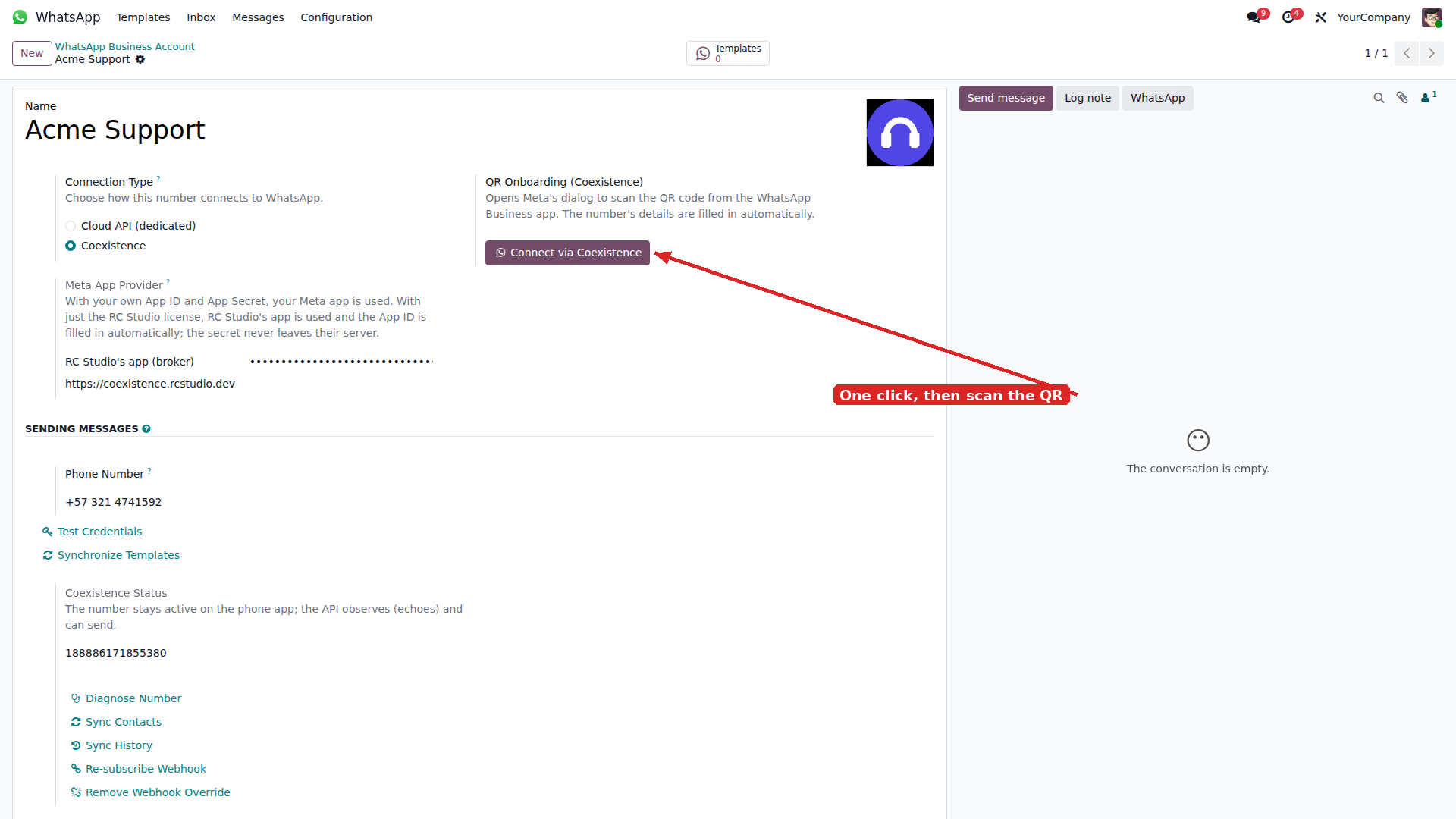
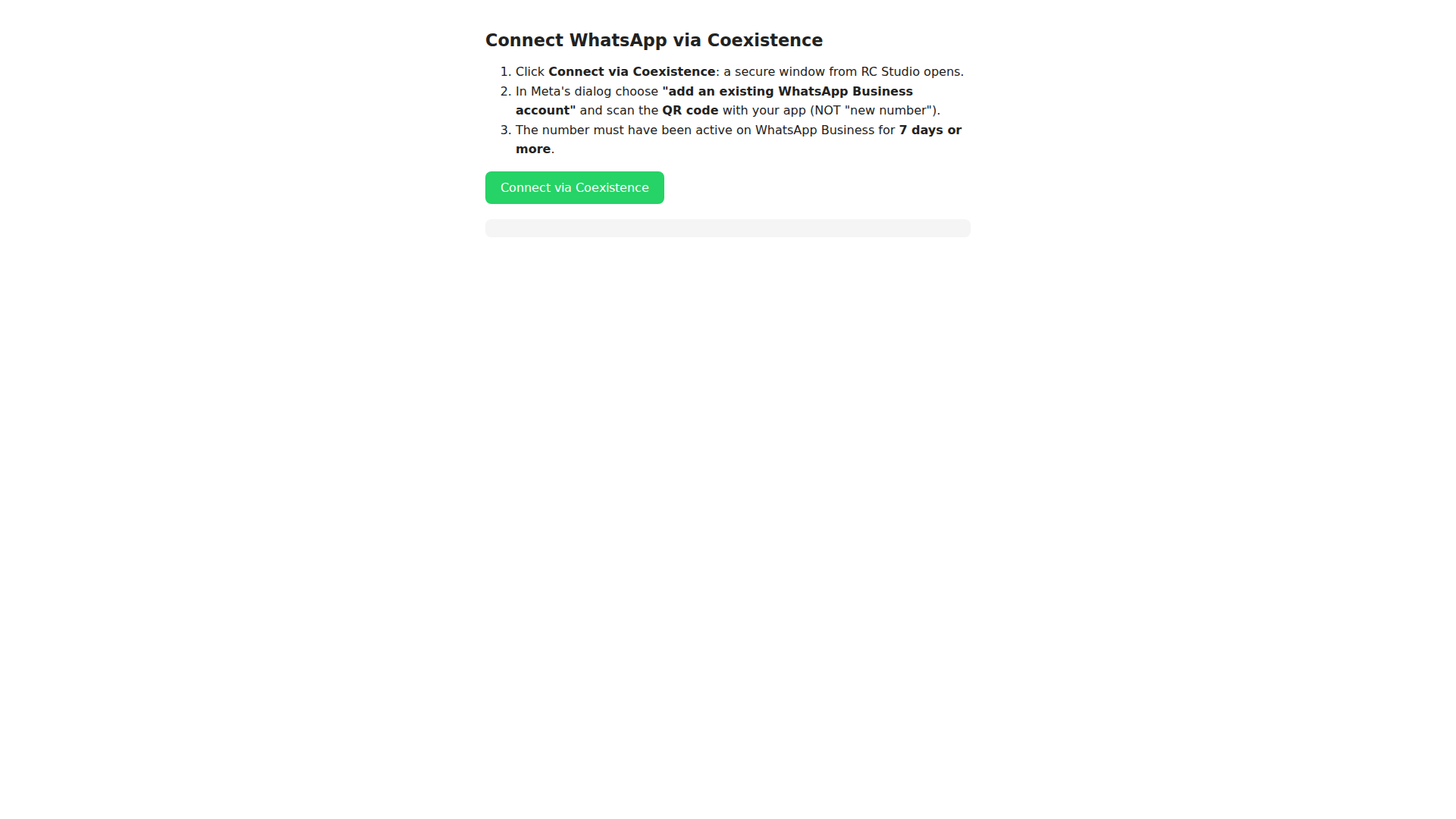
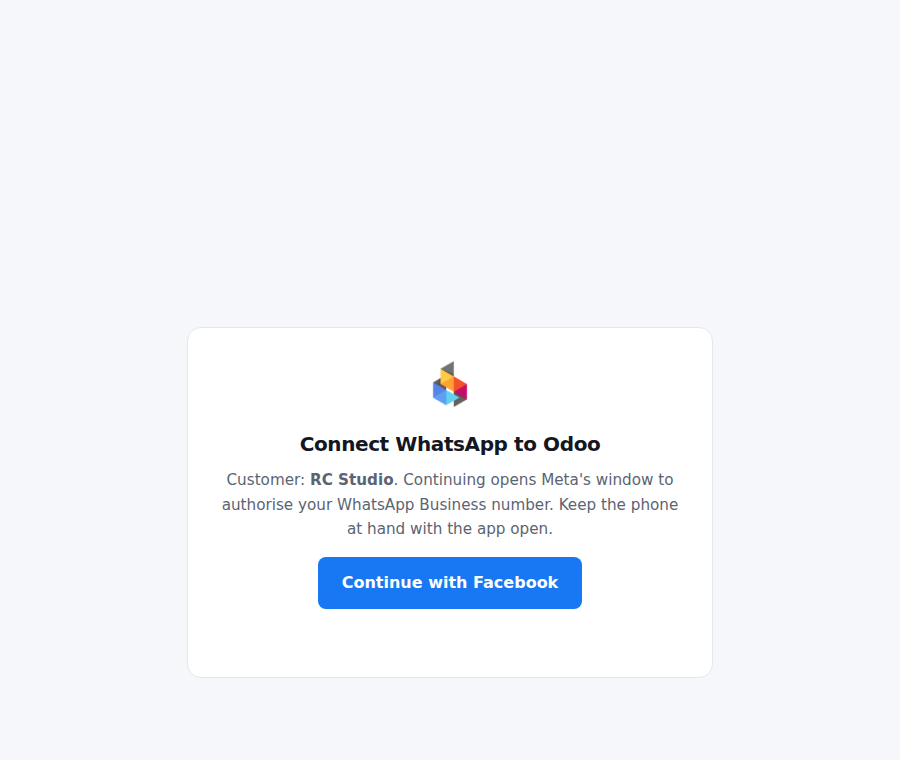
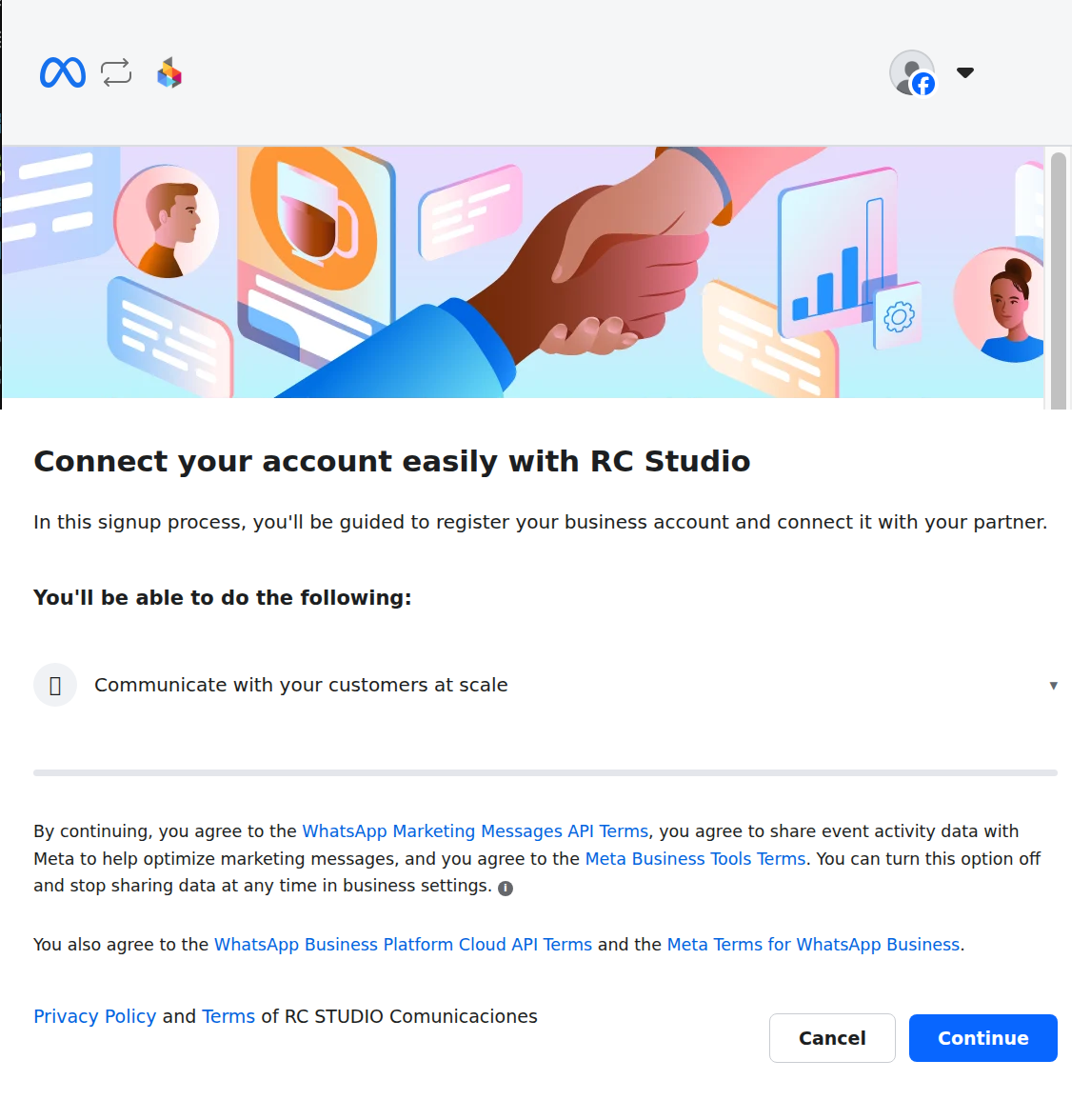
The whole setup is: paste the key, press Connect, scan the QR. Nothing to register with Meta, no app review and no domain to whitelist, because the Facebook dialog runs on RC Studio's own page.
The three steps you actually see, in licence mode
Meta allows a single contact sync and a single history sync per onboarding. If they fail, the only way to repeat them is to unlink the number and connect it again.
Mode B · Coexistence with your own Tech Provider app
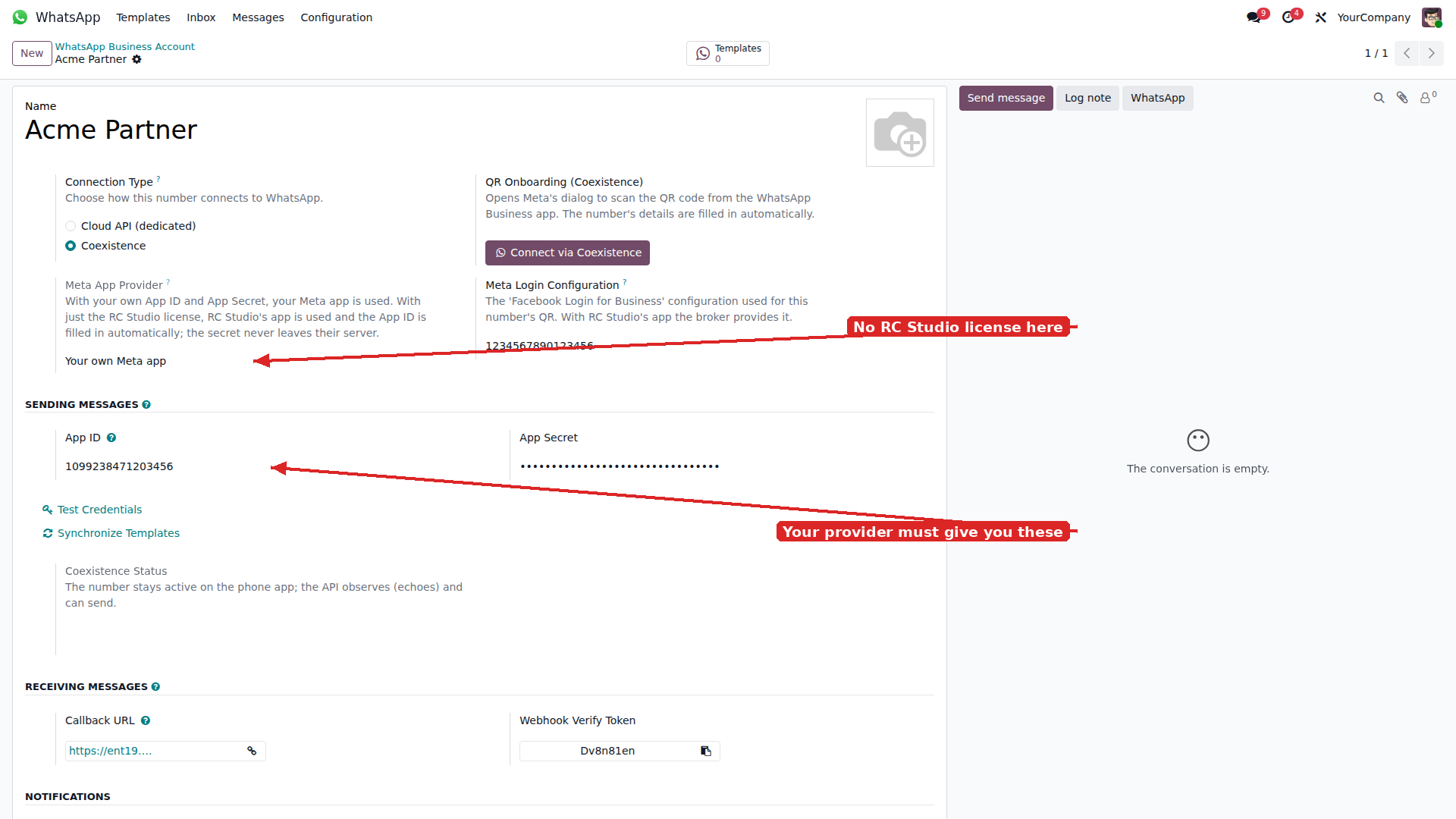
This works with your own app or with any other provider's. In both cases the app must be approved by Meta for the WhatsApp Business App Onboarding feature, and the App ID, the App Secret and the Login Configuration are handed to you by that provider. RC Studio cannot obtain them and is not responsible if the provider does not deliver them.
- Leave the RC Studio licence empty.
- Fill in App ID and App Secret from your app.
- Fill in Meta Login Configuration with the ID of your "Facebook Login for Business" configuration.
- Add your Odoo domain to the Meta app, under App domains and Allowed domains for the JavaScript SDK. This step has no API and has to be done by hand for each domain.
- Press Connect via Coexistence and carry on with the QR.
In Mode B there is no RC Studio window: the Facebook dialog opens straight from your own Odoo page, on your own app.
Webhook
There is nothing to paste into Meta, in either mode. The account generates its own Callback URL and Webhook Verify Token and registers them with Meta as part of connecting the number, subscribing to the messages field and to smb_message_echoes. If your Odoo URL ever changes, the Re-subscribe Webhook button on the account form points Meta at the new one, and Remove Webhook Override undoes it.
Roles
| Who | What they see |
|---|---|
| Everyone else | The Discuss channels they are a member of, as in any Odoo database. This module adds no group of its own; an Operator role that limits a user to the conversations of certain numbers comes from WhatsApp: Single Thread and Inbox, sold separately. |
| Administrator | Accounts, templates, the message log and every conversation. |
Where the conversations live
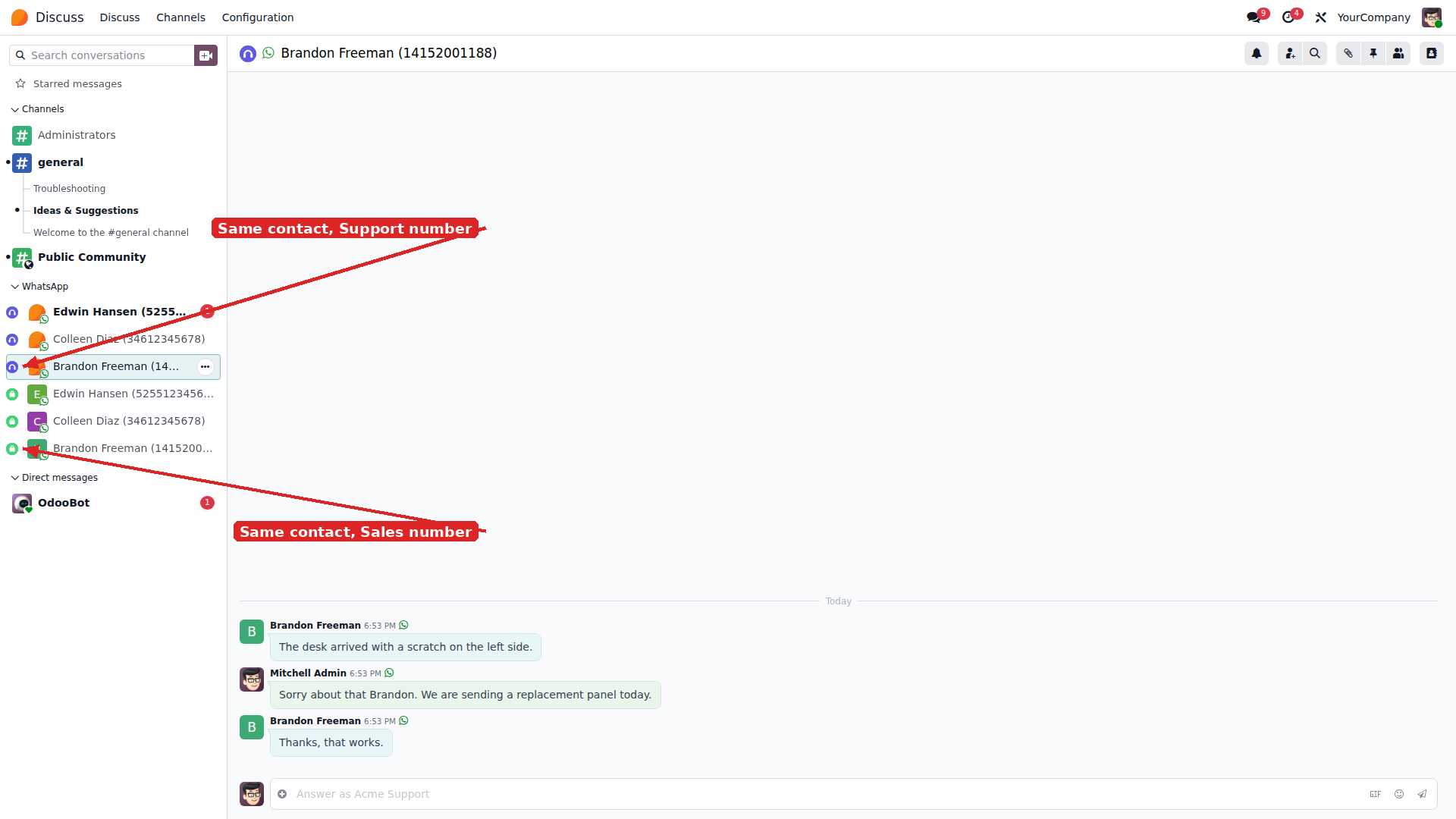
In Discuss, exactly where Odoo's own WhatsApp app puts them: one channel per customer on the number that received the message. You reply from Discuss with attachments, emoji, quotes and reactions. This module changes how the number connects, not where you answer.
A conversation list with search, unread filter and a per-number selector is not part of this module. It comes from WhatsApp: Single Thread and Inbox, sold and installed separately; WhatsApp: Account Icon on Threads adds the coloured icon per number. Coexistence works without either of them.
Replying from Discuss
The same conversations appear in Discuss, under the WhatsApp category — useful for people who already live in Discuss and would rather not change screen. When a teammate answers from the phone, Coexistence mirrors that message into the same channel as an outbound message.
Sending a template from a document
Every quotation, invoice, delivery order and contact has a WhatsApp button in the chatter. Pick the template, review the preview with the data already substituted, and send. The message is kept in the document's chatter and in the customer's thread.
Automated sends
Settings → Technical → Server Actions → New, type Send WhatsApp, pick the template. Fire it from an automation rule — on order confirmation, for instance — or from the action menu of a list view to send to many records at once.
States and retries
WhatsApp → Messages keeps every message with its state: queued, sent, delivered, read, replied, error or bounced, with Meta's error code when there is one. Failed ones can be resent by selecting them and running WhatsApp: resend failed messages. A cron retries the queue every hour.
The 24-hour window and opt-out
Twenty-four hours after the customer's last message, WhatsApp only allows templates. The composer locks itself and offers a button to reopen the conversation with a template. If a customer replies STOP, UNSUBSCRIBE or STOP PROMOTIONS, Odoo puts the number on the blacklist and stops sending to it. Those are the words Odoo's WhatsApp app recognises.
Frequently asked questions
Do I have to use RC Studio as my Tech Provider? No. You have three options and the module supports all of them. One: use your own app — you register with Meta, get it approved for the WhatsApp Business App Onboarding feature, and become a Tech Provider yourself. Two: use any third-party Tech Provider; the module works with any of them. Three: use RC Studio's Tech Provider service, which is billed separately from this module. What matters in options one and two is that the provider must hand you an App ID, an App Secret and a coexistence Login Configuration. Without those three values the Embedded Signup cannot run. RC Studio cannot obtain them for you and is not responsible if a third-party provider refuses, revokes or charges extra for them.
Does it work on Odoo Online (SaaS)? No. Odoo Online does not accept third-party modules. Enterprise runs on Odoo.sh and on-premise. Your instance must be reachable over public HTTPS, because Meta delivers messages to a webhook on your domain.
Can I keep using the number on the phone? Yes — that is the whole point of Coexistence. The same number lives in the WhatsApp Business app and in the Cloud API at the same time. Your team keeps replying from the phone and Odoo sees everything: inbound messages and the replies typed on the phone, which arrive as echoes and appear in the thread as outbound messages. With the dedicated Cloud API mode, the number stops working on the phone.
Do I lose my history when I connect? With Coexistence, Meta lets you import your contacts and up to six months of history once, during onboarding. Meta allows a single contact sync and a single history sync per onboarding; if they fail, the only way to repeat them is to unlink the number and connect it again.
Is there any limit I should know about before buying? Yes, and it is Meta's, not the module's. Messages your team types on the phone go out as-is and cannot be intercepted or rewritten; the API receives them afterwards, as echoes. If you need to control 100% of outgoing traffic, the dedicated Cloud API is the right choice, not Coexistence. The Meta app also has an hourly call quota: if it runs out you have to wait, and retrying immediately only extends the window.
What does Meta charge for messages? Meta bills per delivered message. Template messages are charged at a rate that depends on the category (marketing, utility, authentication) and the customer's country. From 1 October 2026 Meta also charges the free-form replies you send inside the 24-hour window (service messages), at the same rate as utility and authentication messages; until then they are free. Receiving messages stays free. Details and the rate cards are on Meta's pricing page. RC Studio does not charge per message.
Does the module send my data to an RC Studio server? Only at onboarding, and only the minimum. Messages never pass through us, neither the ones you send nor the ones you receive. The business token lives in your own database, so your Odoo talks straight to Meta, and when the number is connected our service registers your Odoo's address with Meta as the delivery destination: Meta delivers straight to your instance, at a secret URL that only Meta and your Odoo know. Our service does not even expose an endpoint for sending or receiving messages. What does go through us is the onboarding: Meta's app secret is ours and is never copied into your database, so we are the ones who exchange Meta's authorisation for your access token and hand it to you. That is all. If you would rather RC Studio not take part even in onboarding, the module works exactly the same with your own Meta app.
What data does RC Studio hold? Three things, and only while the number is connected: the Meta app secret (held by us precisely so it never has to be copied into your database), the licence key we issue you, and an encrypted copy of your WABA token, needed to re-subscribe the webhook when your Odoo URL changes and to trigger the initial sync. When you ask us to offboard the number, our app's subscription is removed from your WABA and the whole record is deleted, encrypted token included. You can also drop the webhook override yourself at any time, from the Remove Webhook Override button on the account form. Your business token also stays in your own Odoo, and that is what makes message sending direct and independent of our service.
Do our number and our WABA stay under our own Business Portfolio? Yes, always. The number and the WABA are yours and stay in your Business Portfolio. A Tech Provider only acts as a bridge between your WABA and Meta's services; it never takes ownership of anything. Meta Business Suite also keeps working normally — Coexistence adds the Cloud API alongside Meta's tools, it does not replace them.
Can we test on staging first, then move to production? Yes, and that is the recommended order. On the phone there is no interruption at all. On the Odoo side, moving to production changes your instance URL and with it the address where Meta delivers events, so the licence has to be renewed and the webhook re-subscribed to the new URL — the module has a button for that. For the few minutes that takes, Odoo stops sending and receiving; the phone does not. Note that the one-time history import is not repeated when you move the number.
Can I use templates I already had approved in Meta? Yes. Use the Synchronize Templates button on the account form.
What if Meta rejects the sync with error 133010? It means the number was not linked as coexistence. The Diagnose Number button on the account form checks it in a single call and tells you whether the connection has to be redone.
Which Odoo versions are supported, and what languages does the interface speak? Odoo 17.0, 18.0, 19.0 and 20.0 — each version is purchased separately on the Odoo store. The interface ships in English, Spanish, Portuguese, Italian, French, German and Arabic.
Support
Support is included for anyone who buys the module. Installation and the Meta-side configuration can be contracted separately. Use the support page of this module on Odoo Apps for anything related to your purchase: it reaches us directly and keeps the thread attached to your licence.
Data transit: messages and media travel directly between your Odoo instance and Meta's Cloud API, whichever connection mode you use. With an RC Studio licence, RC Studio's Tech Provider service takes part only when the number is onboarded: it issues the Meta access token and registers your Odoo's address as the delivery destination. RC Studio neither receives nor stores message content. Privacy policy.
WhatsApp is a trademark of Meta Platforms, Inc. RC Studio is not affiliated with, endorsed by or sponsored by Meta. This module is published under the Odoo Proprietary License v1.0 (OPL-1).
Connect your number without taking it off the phone
Your team keeps replying from the same app, and every conversation lands in Odoo.
Pricing